












MAO Clip/Grip - Firmwareupdate
To update the MAO with new firmware,
please follow these steps:
- Download the latest firmware package here: esp32MicroAddOnK040.ino
- Open the Adafruit Webserial ESPTool page
- Connect the MAO to your computer using a USB-C cable
- On the ESP-Tool page, click the 'Connect' button in the top-right-hand corner and select the COM port through which the MAO is connected to the computer.
This will start with "USB JTAG/serial debug...."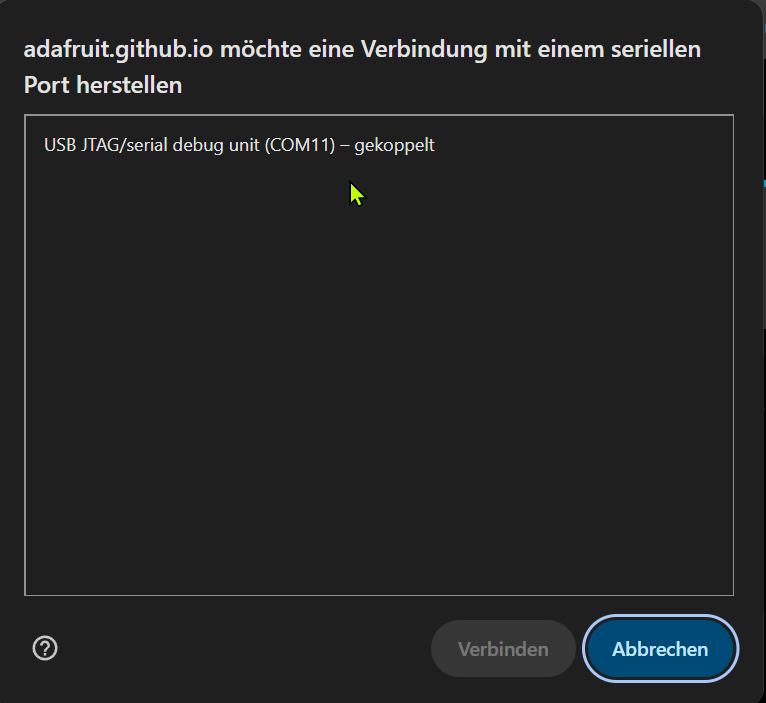
If several such entries appear, disconnect all other connections linked to ESP chips. - The window should then look like this.
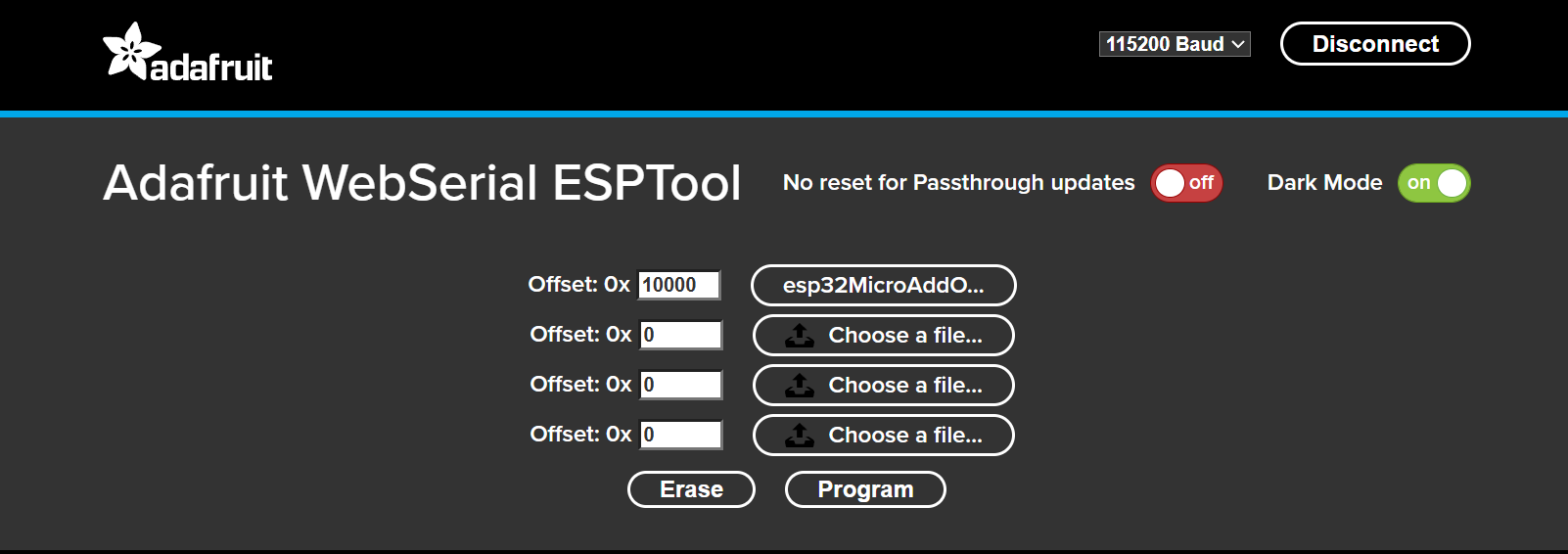
- Enter 10000 in the first line, then click "Choose a file..." and select the firmware file from your computer that you downloaded earlier.
-
Check everything again!
A wrong file or the wrong number will render the MAO unusable.Press the "Program" button
- The following lines appear in the log window:
Compressed 1086064 bytes to 616057...
Writing at 0x10000... (2%)
...
Writing at 0x10e16d... (97%)
Writing at 0x114378... (100%)
Wrote 1086064 bytes (616057 compressed) at 0x10000 in 3.906 seconds.
Leaving...
To run the new firmware, please reset your device. - Now disconnect the MAO from the USB cable and switch it on.
If it was switched on before connecting it to the PC/laptop, you will need to switch the MAO off once.
Enjoy the new firmware and its new features.